

Character and minute consumption data on the “API Keys & Limits” tab, the “API Usage” tab, in API key-level CSV exports, and in the Admin analytics API is available up to and including the previous UTC calendar day. For example, on 19 May 2025, data would be available up to and including 18 May 2025.We recommend the
/usage endpoint (docs) to see near-real-time character and minute consumption data.Choosing a data source
Use the admin area UI for a quick check while signed in, the CSV export for detailed or offline analysis per key, the
/usage endpoint for programmatic near-real-time quota checks, and the Admin analytics API for programmatic reporting and cost attribution via custom tags.
Directly in the admin area UI
When you are signed into your account, there are two tabs that contain API usage data.API Keys & Limits tab
The API Keys & Limits tab shows API key-level character and speech-to-text (STT) minute consumption for the current monthly usage period only.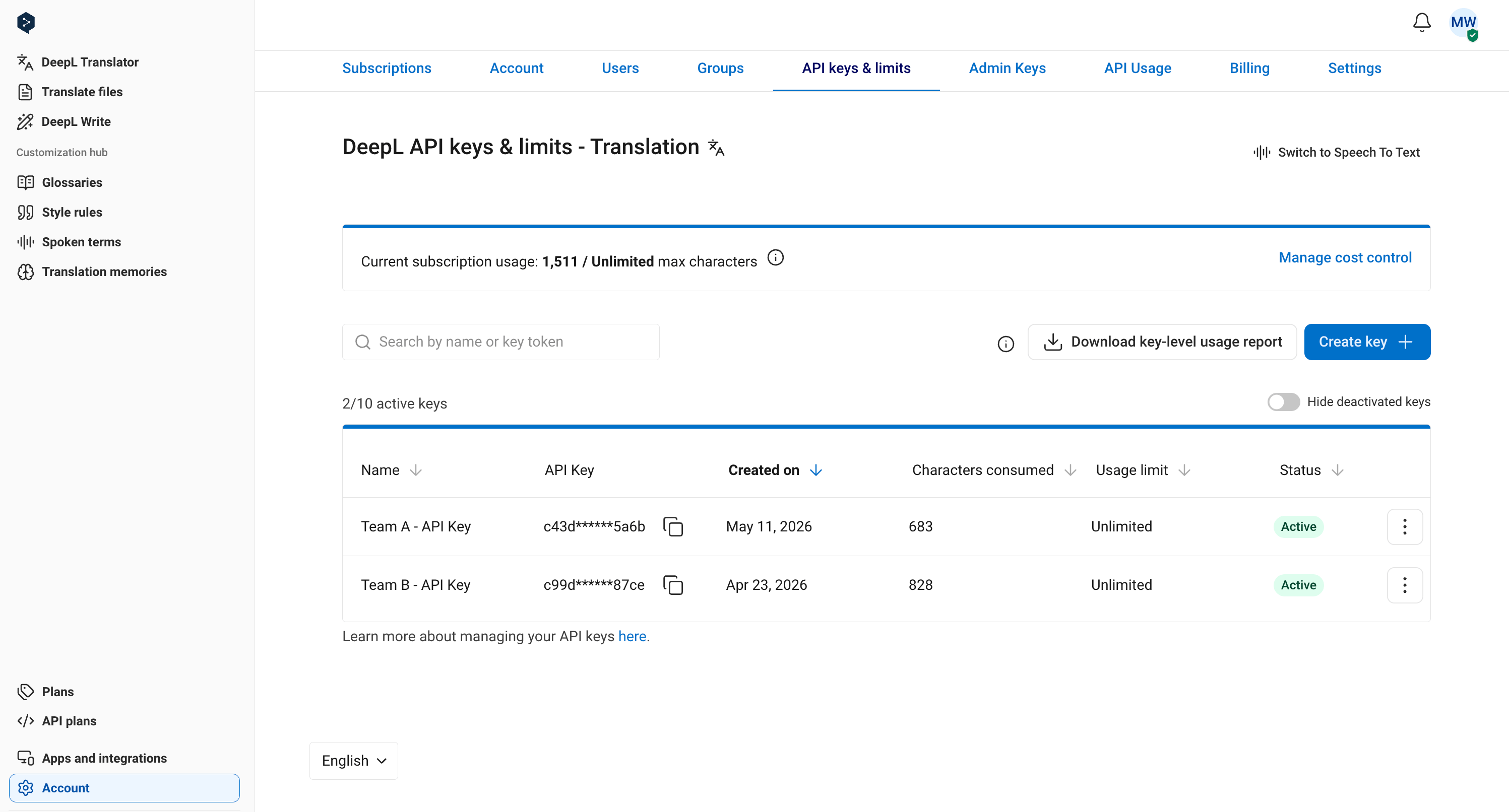
API Usage tab
The API Usage tab shows total character and STT minute usage for the current monthly usage period, and if you’re on a yearly plan, it shows usage to date for your yearly billing period, too.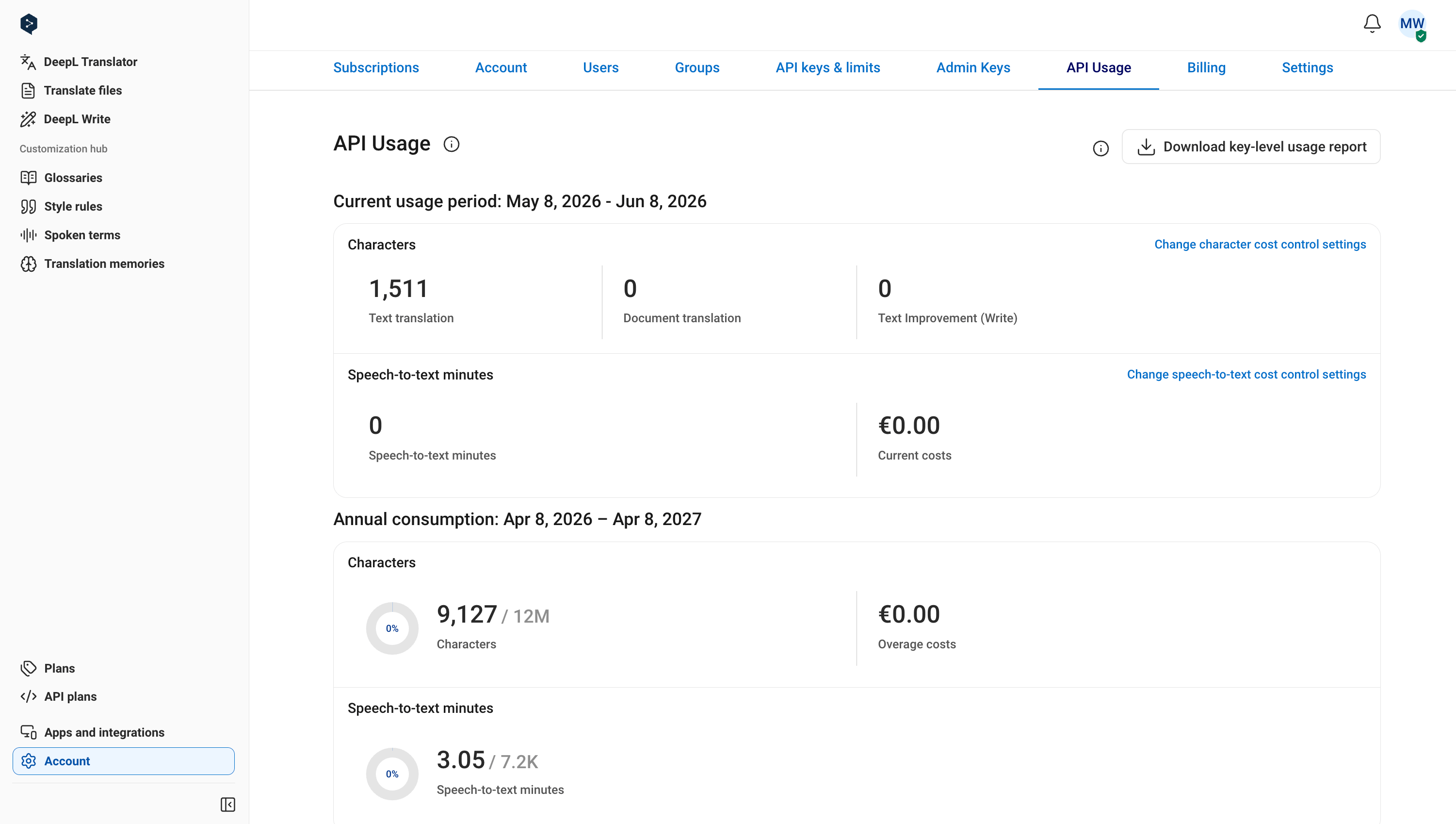
CSV exports
API key-level CSV export
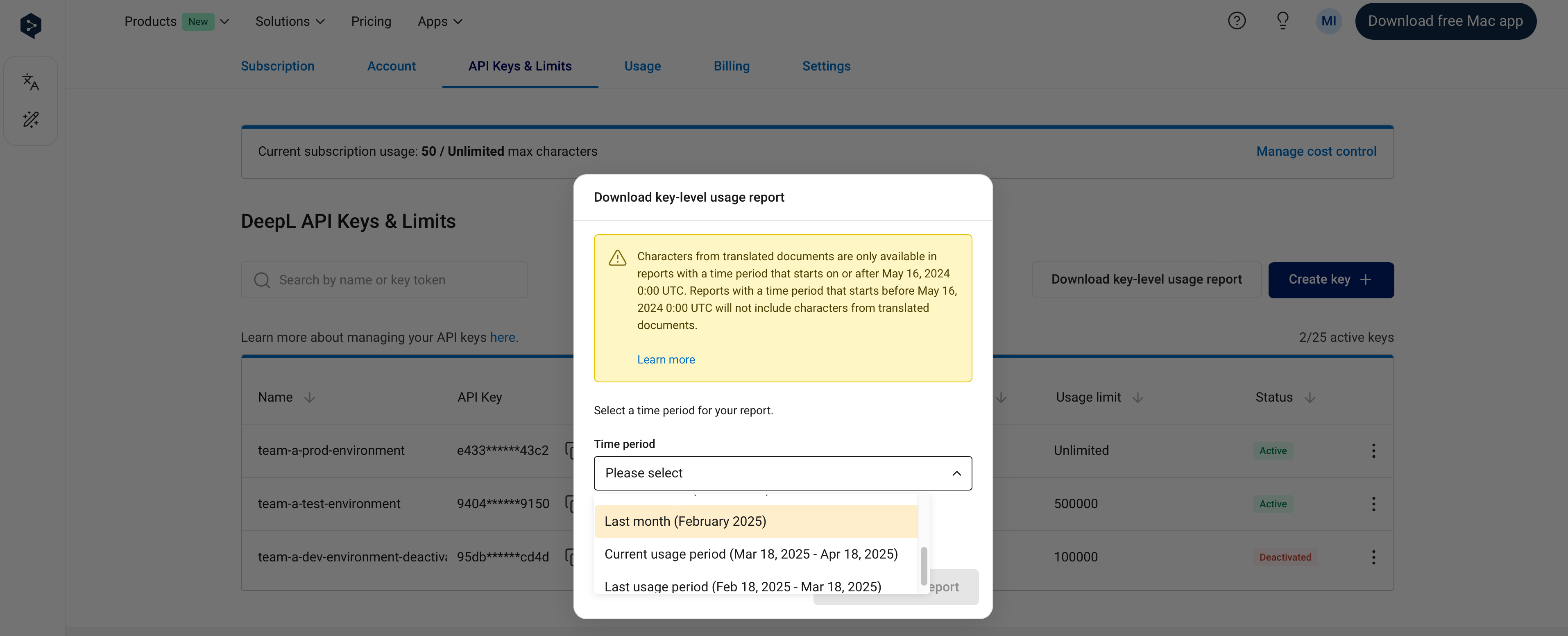
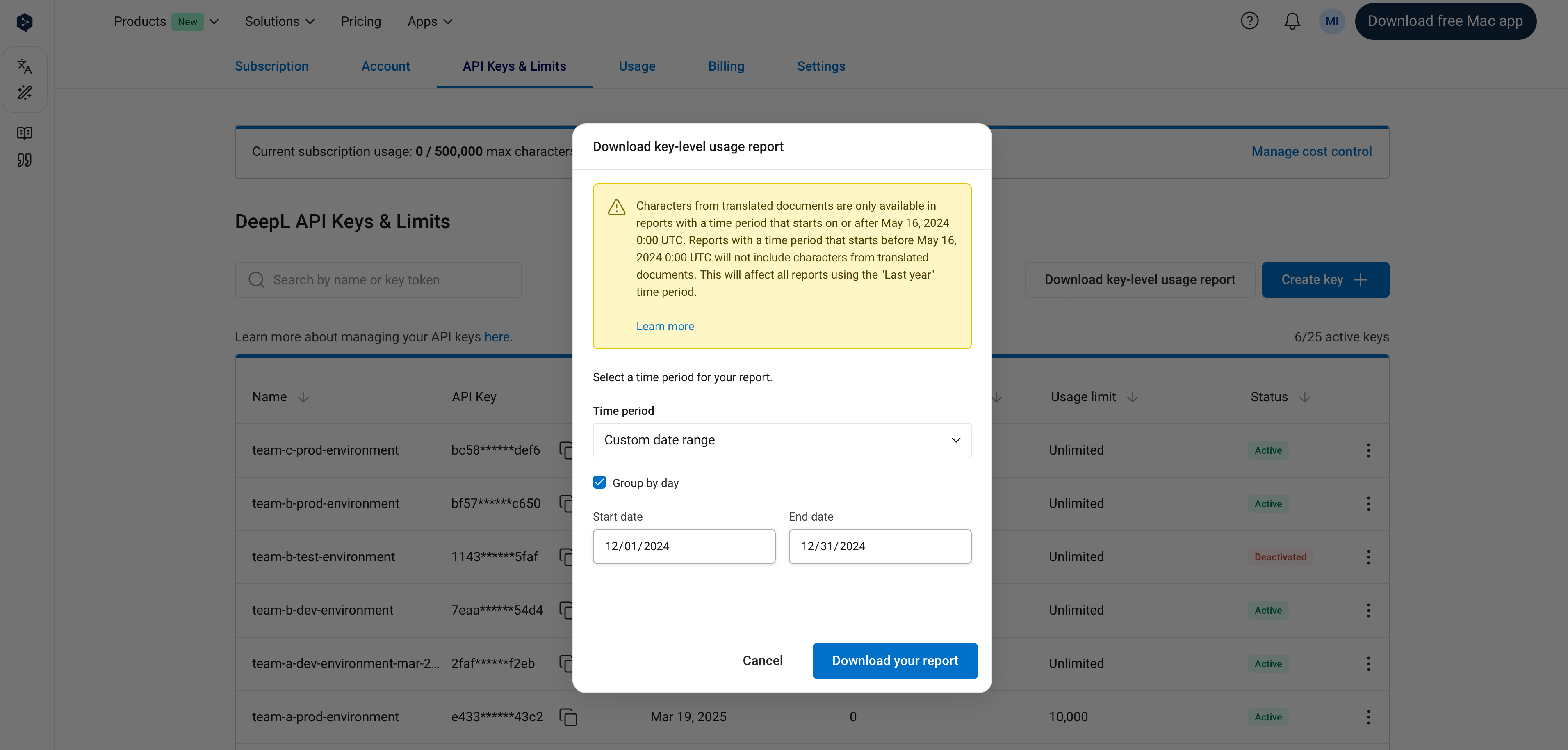
It’s possible to generate a CSV report with key-level characters translated for the specified time period. The following time periods are currently supported. Depending on the reporting time period selected, the time period might not always start and end on a full calendar day.
Document translation data is only included in reports with a time period starting on or after May 16, 2024 00:00 UTC. Text translation data is included for all time periods.
Key-level usage is not broken out on invoices and is only available via CSV export or on the “API Keys & Limits” tab.
To download a report with key-level usage, first click on the “Download key-level usage report” button on the API Keys tab or the “Download report” link on the Usage tab.
You can then select a time period and click the “Download your report” button to download your CSV report.
/usage endpoint
The/usage endpoint makes it possible to retrieve a near-real-time snapshot of character and minute usage in the current monthly usage period only. Data retrieved from the /usage endpoint is typically up to date within a few minutes of the usage being generated.